

 Together Business Is Made Easier
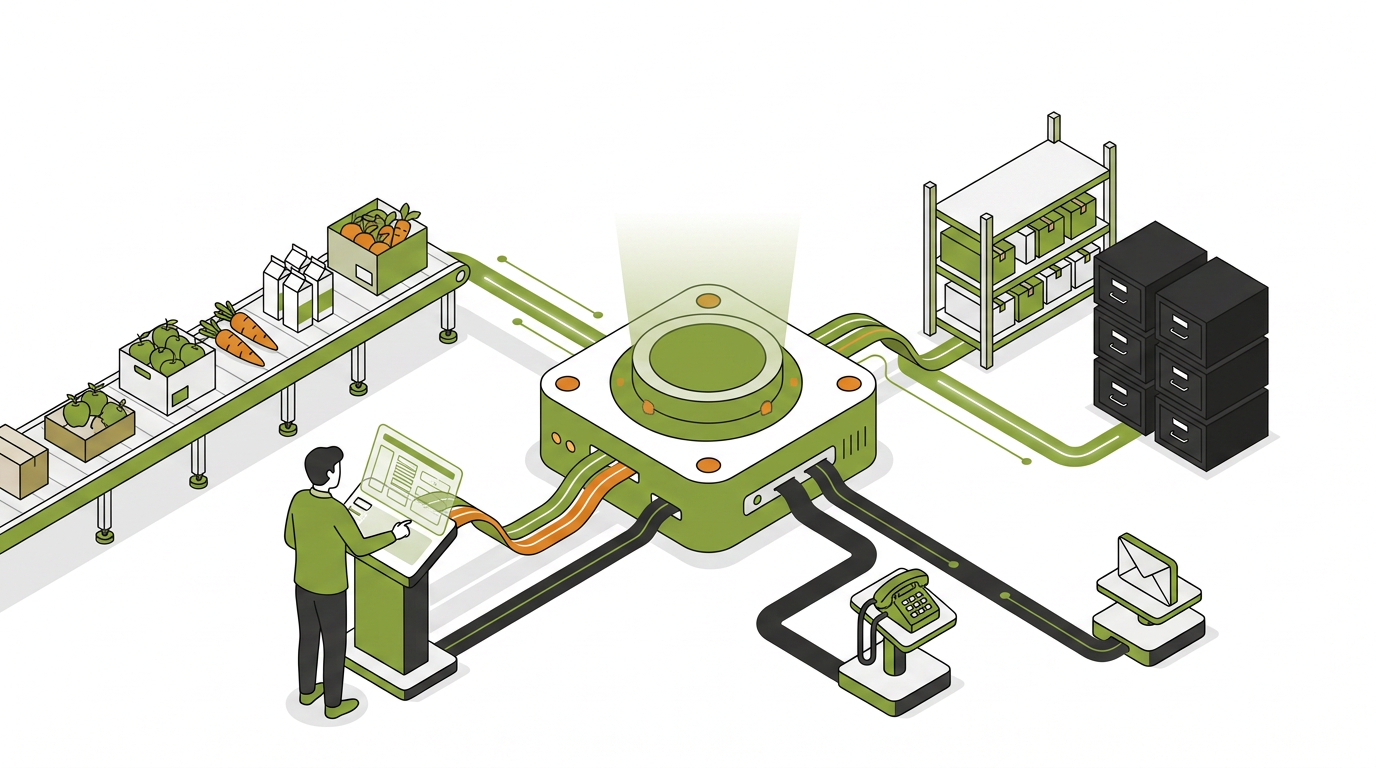
Your ERP Keeps the Books. It Was Never Going to Take the Order.
ERP integration for food companies means connecting the accounting or production system you already run to the places where orders, deliveries, invoices, and payments actually happen, so the same transaction is captured once and never re-keyed. For food distributors and manufacturers the question is rarely which ERP (enterprise resource planning) system to buy. It is what to connect to it, and how tightly.
Most orders still arrive by phone, email, or text, and someone types them into the ERP before a route cutoff. That handoff is where the wrong contract price gets applied, where a substitution gets missed, and where an order lands after the truck is loaded.
This article covers what ERP integration has to do in a food business, what it looks like on the systems Canadian food companies actually run, and what to confirm before you commit to any approach.
What does ERP integration for food companies actually solve?
It removes the human step between the channel where an order is placed and the system that has to account for it. That step is the source of most order errors, and it is almost never costed honestly because the credits, the re-ships, and the phone time settling them land in three different budgets.
APQC (American Productivity and Quality Center) benchmarking puts the cost of processing a single purchase order between about $14 and more than $54, and the spread comes from how the work is structured rather than from how hard anyone works.[1] Re-keying is structure.
Four stages decide whether an integration is worth anything. Order capture, delivery and invoicing, payment, and accounts receivable. An integration that only covers the first stage leaves three quarters of the manual work in place.
What integration has to carry: client-specific pricing, per-account minimums, case pack configurations, and delivery schedules. These are the fields a food order actually needs at the moment it is placed. Lot assignment, expiry selection, and variable-weight reconciliation happen at fulfillment and delivery, not at order entry, so an ordering layer that claims to decide them up front is describing something it cannot do.
What does ERP integration look like on the systems food companies run?
These are the back-office systems Canadian food distributors and manufacturers actually operate. The pattern is the same across all of them: each one manages the books well, and none of them was built to be the place a buyer or a rep places an order.
SAP Business One and S/4HANA. Strong on lot traceability, recipe management, multi-entity and multi-plant compliance, which is why medium and larger manufacturers and enterprise distributors run it. It is a system of record, not a B2B (business-to-business) sales portal, so the ordering layer, the rep workflow, and payment collection sit outside it and have to sync back.
Microsoft Business Central. A mid-market cloud ERP with strong ties to the rest of the Microsoft estate, good lot tracking and financial reporting. Same shape as SAP: the back office is handled, the customer-facing order flow is not.
NetSuite. Financial control and multi-entity reporting across multiple locations. Its native interface is not built for a buyer placing a recurring wholesale order, so distributors add a connected portal or rep app on top.
QuickBooks Online, Sage, and Acomba. The accounting systems most common among independent Canadian food distributors. They handle accounting properly and were never intended to manage B2B order capture, client-specific pricing enforcement, DSD (direct store delivery) routes, or automated accounts receivable. For these operations the integration question is not which ERP to replace. It is what to add on top, and how clean the sync back is.
Real-time or batch: the question that decides the rest
Batch means your ERP is always behind. An item goes out of stock at 09:00 and a connector polling every 30 minutes lets buyers keep ordering it until 09:30. Your team finds out at cutoff and makes the apology call.
Real-time ERP integration means an order placed at 21:00 by a restaurant buyer is in the ERP before the morning route cutoff with the correct account price already applied, and it means changes in the ERP flow back the other way. Inventory, pricing, and new products should reach the ordering layer without anyone exporting a file.
Ask for the actual latency between an order being placed and a record existing in the ERP, and ask what happens during the peak windows: after-hours bulk uploads, route cutoffs, Monday morning reorders.
Where does WEGOTRADE fit?
WEGOTRADE is not an integration platform and does not sell ERP connectors. It is a B2B ordering, delivery, and payment platform for Canadian food distributors and manufacturers, and integration is one of its core strengths rather than a separate product. WEGOTRADE builds and maintains its own connectors to the ERP and accounting systems its customers run, and those connectors are not sold on their own.
The distinction matters when you are comparing approaches. General-purpose integration middleware is bought to connect any system to any other system, and someone has to own it. WEGOTRADE connects in two directions instead. Transaction integration carries orders, invoices, and payments between the platform and your ERP so the order-to-cash cycle runs in real time. Master data integration keeps client records, product details, and pricing synchronised, so what a buyer sees is what your ERP holds.
Connectors already exist for SAP S/4HANA, SAP Business One, QuickBooks Online, Sage 300, Sage 50, Sage Business Cloud, Microsoft Business Central, and Acomba, among others. Where a system is not on that list, the WEGOTRADE APIs connect it, and a software vendor can build its own connector to WEGOTRADE with the same APIs.
Not sold on their own does not mean free, and it should not. ERP integration is an add-on rather than something bundled into every plan, priced as a setup fee and a monthly fee that varies by ERP. What you are not also buying is a separate piece of middleware to own, staff, and upgrade. Your sales contact confirms the figures for your system in a formal proposal.
Orders reach the ERP the same way regardless of where they start. Buyers order on the WEGOTRADE B2B marketplace, where more than 21,000 connected Canadian food businesses already buy and sell, or on your own branded ordering portal running on the white-label platform, or a rep enters the order in WEGOSell. WEGODeliver covers DSD routes and proof of delivery, and WEGOPay collects payment online at a fixed fee per transaction with no percentage of the sale.
Buyers are asking for this directly. Gartner found that 67% of B2B buyers prefer a rep-free experience, in a survey of 646 buyers.[2] Active distributors on the platform receive 70 to 100% of their orders online.
Payment is part of the same cycle. Atradius reported overdue B2B invoices in Canada at 44% of B2B credit sales in 2025,[3] so an integration that stops at the sales order leaves the slowest stage untouched.
For scale, one documented Quebec independent distributor running about 430 orders a month carried 1,851 hours a year of manual order management and recovered 1,494 of them in year one, worth $31,668 in net savings with payback in 7.9 months. You can review the full scenario and compare it to the other four documented ROI scenarios on the case studies page. More than 21,000 businesses across Canada are connected, processing more than $1 billion in orders annually.
How do you choose the right integration approach?
Let the operational risk drive the criteria rather than a feature list. For a food business the questions that actually separate options are these.
- Does the sync run in real time or in batches, and what is the measured latency?
- Are client-specific prices, per-account minimums, and delivery schedules enforced at order entry, before anything reaches the ERP?
- Does it cover order capture through delivery, invoicing, and payment collection, or only the sales order?
- Is the sync bi-directional, so catalogue, inventory, and pricing changes in the ERP reach the ordering layer automatically?
- When an order is modified after it lands in the ERP, do both sides stay correct without manual reconciliation?
- Who maintains the connection when either system updates, and what does that cost in year two?
The right answer depends on size, on the ERP already in place, and on where the biggest manual bottleneck sits. A $200M manufacturer with 50 retail trading partners has a different problem from a $15M independent distributor running 400 orders a month on QuickBooks Online.
FAQ
Q: What is ERP integration for food companies?
A: It connects the accounting or production system to every layer where data moves: buyer ordering channels, field rep apps, delivery routes, and payment collection. The goal is to capture each transaction once and let it flow, so nobody re-keys an order into the ERP. In food specifically it also has to carry client-specific pricing, per-account minimums, and case pack configurations at the moment the order is placed.
Q: What is the difference between an ERP and a B2B ordering platform?
A: The ERP is the back-office system of record holding inventory, costs, compliance data, and financial reporting. A B2B ordering platform is the customer-facing layer where buyers order, reps enter sales, drivers confirm deliveries, and payment is collected. They do different jobs, and the integration between them is what keeps both showing the same data.
Q: Is WEGOTRADE an ERP integration platform?
A: No. WEGOTRADE is a B2B ordering, delivery, and payment platform whose ERP integration is a built-in capability, not a product sold separately. It does not connect arbitrary systems to each other the way general-purpose integration middleware does. It runs transaction integration for orders, invoices, and payments, and master data integration for clients, products, and pricing, through connectors WEGOTRADE builds and maintains for the ERP and accounting systems its customers run. Where a system has no pre-built connector, the WEGOTRADE APIs cover it. The integration is priced as an add-on, with a setup fee and a monthly fee that depend on which ERP you run.
Q: Which ERPs do food distributors and manufacturers use most in Canada?
A: QuickBooks Online and Sage are the most common among independent distributors. SAP Business One, SAP S/4HANA, Microsoft Business Central, NetSuite, and Sage 300 serve mid-to-large operations, and Acomba is widely used among Quebec food companies. The right one depends on size, transaction volume, compliance requirements, and whether multiple entities or plants are involved.
Q: What does real-time ERP integration actually mean in food distribution?
A: An order placed at 21:00 by a restaurant buyer appears in the ERP before the morning route cutoff with the correct client-specific price already applied, and inventory, pricing, and product changes made in the ERP reach the ordering layer automatically. Batch integration syncs on a schedule and leaves a window where the two systems disagree.
Q: Does ERP integration replace the ERP itself?
A: No. The ERP stays and continues to run accounting, inventory, and compliance. Integration extends it into the ordering, delivery, and payment workflows it was never built to handle. The frame is extension, not replacement.